
PDA-Subtitle-Lib
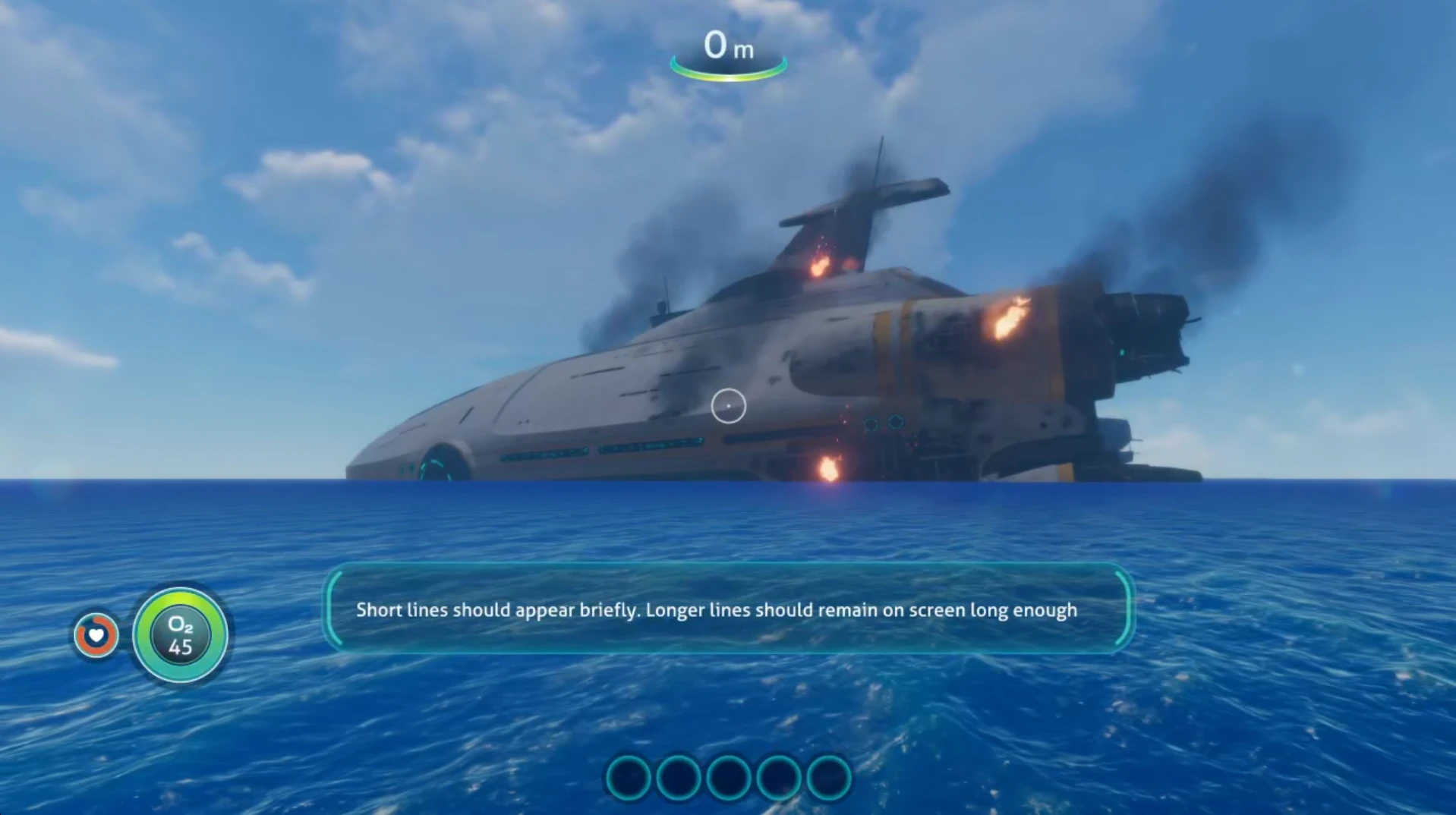
1.0.0Add synchronized subtitles to Subnautica PDA logs using .srt files. Easy integration for modders with BepInEx and Nautilus support.
visibility
0
Views
download
36
Downloads
schedule
Updated
Feb 14, 2026
collections Gallery
description
README.md
PDA Subtitle Library
A developer library for Subnautica modders to add synchronized subtitles to PDA audio logs using standard .srt files. Built for BepInEx and Nautilus, this library enables accessibility and localization for custom PDA content.
Features
- .srt Subtitle Support: Use industry-standard SubRip files for subtitles
- Automatic Timing: Subtitles display in sync with audio playback
- Easy Integration: Simple API for registering subtitles and audio
- Harmony Patches: Non-intrusive, works with vanilla and modded content
Getting Started
1. Installation
- Add the compiled
PDASubtitleLib.dllto your mod project or as a dependency - Place the DLL in your mod's folder or reference it in your project file
2. Prepare Your Assets
- Place your
.srtsubtitle files in a folder (e.g.,Assets/Audio) - The only requirement is that the
keyyou use when adding PDA log entries matches the.srtfilename (without extension). Audio files do not need to be named the same or placed in the same folder as the.srtfiles; you can load audio however you wish.
3. Register Subtitles in Your Mod
// At mod startup (e.g., in your Plugin.Start method):
SubtitlesHandler.Register(Path.Combine(Paths.PluginPath, "YourMod", "Assets", "Audio"));
// This will register all of your .srt files for later lookup
4. Register PDA Log Entries
PDAHandler.AddLogEntry(
    key, // e.g., "log1" (must match .srt filename without extension)
    SubtitlesHandler.GetLanguageKey(key), // IMPORTANT: Always use GetLanguageKey(key) here!
    audioPath // this is just one way of adding audio using PDAHandler.AddLogEntry, there's many more and PDASubtitleLib will work regardless of how you load the audio into the log entry
);
// NOTE: If you do not use SubtitlesHandler.GetLanguageKey(key), the PDA log entry will not show the actual text of the .srt file.
5. Trigger PDA Log Playback
SubtitlesHandler.PDALogAdd(key); // Adds the log and starts audio + subtitle playback
Subtitle File Format
- Standard
.srtformat:1 00:00:00,099 --> 00:00:03,019 This is a subtitle synchronization test. - Each
.srtfile's name (without extension) is thekeyfor that log entry
API Reference
SubtitlesHandler.Register(string folderPath)
Scans the folder for .srt files and registers subtitles for each key.
SubtitlesHandler.GetLanguageKey(string key)
Returns the language key for use with PDA log entries. Always use this instead of just key!
SubtitlesHandler.PDALogAdd(string key)
Adds a PDA log entry and starts subtitle playback for the given key.
Requirements
- BepInEx
- Nautilus
License
See LICENSE file for details.
forum
Comments
0 comments
Join the conversation
lock
Log in to join the conversation
Connect with GitHub to post comments and react.
chat_bubble_outline
No comments yet — be the first to share your thoughts.
Versions
View AllProject Metadata
star
Downloads
36
visibility
Views
0
Supported Games

Tags
sell
No tags yet